

Information at the point of use
Operators and technicians open the manual, work instruction or checklist for that machine without leaving the line to find a binder.
The manual is in a cabinet across the site, the SOP binder is out of date and the fault gets reported at the end of the shift, if at all. A QR code on the machine opens the right manual, work instruction or fault report form on the operator's phone, at the machine. This guide covers the QR codes that work on the factory floor and on equipment, where to put them, and how to make labels that survive the plant.

A QR code doesn't replace training, lockout procedures or your maintenance system. It puts the right document within reach of the person standing at the machine.
Operators and technicians open the manual, work instruction or checklist for that machine without leaving the line to find a binder.
When an SOP or manual is revised, upload the new version. The label on the machine keeps working and opens the latest file.
Link to your maintenance system, intranet, forms or spare-parts ordering. QRCodeChamp only creates the code; your data stays where it is.
Sign in for free to keep codes in folders, for example one per production line, and find any of them again later.
Pick the type by what the person at the machine should do after scanning. Types marked "Editable" are dynamic: you can change their content later and see scan statistics, which matters for labels that stay on equipment for years. The others are static: the content is stored inside the code itself, so it can't change after printing.
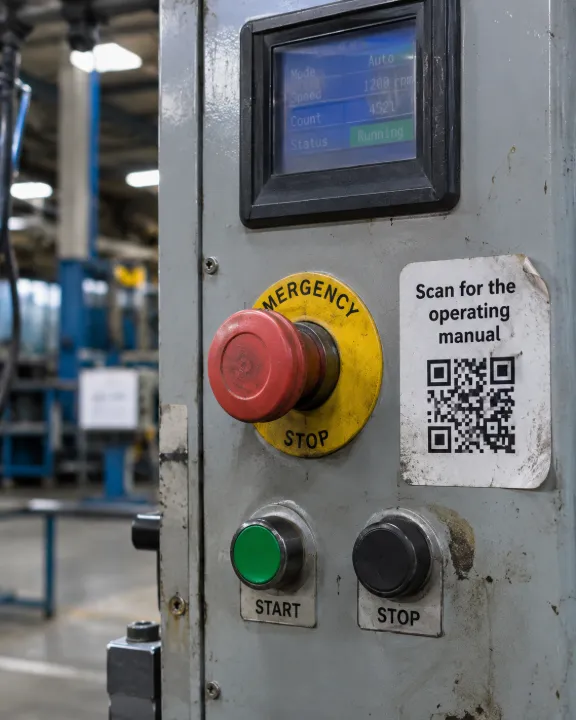
Manuals get lost and printed SOPs drift out of date. A PDF QR code on the machine housing or control panel opens the current manual, work instruction or one-point lesson on the operator's phone or a shared tablet. It is a dynamic code, so when engineering revises a document you upload the new version and the label stays where it is. Keep your document control as it is: the QR code is a way to reach the approved version, not a replacement for approving it.
Where to use it
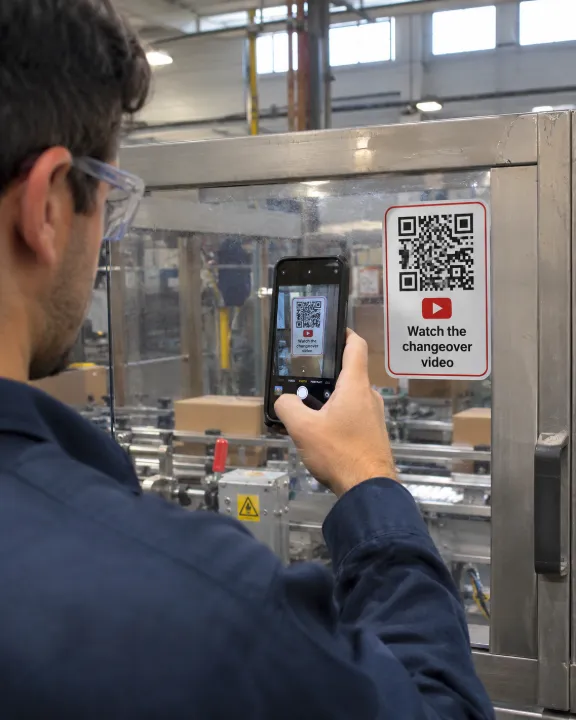
Some tasks are much easier to follow when you can see them: a changeover, a cleaning routine, replacing a filter or threading material. A video QR code at the workstation plays a short clip recorded on your own line, so new starters and cover staff can check the steps as often as they need. Keep clips short, film from the operator's point of view and add captions, because the floor is noisy.
Where to use it
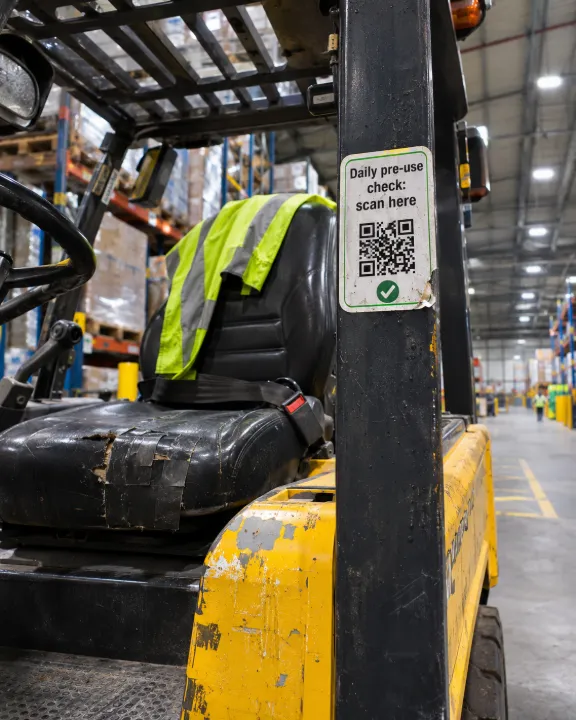
Faults that are reported later are often reported vaguely or not at all. A Google Form QR code on each machine or forklift opens a short form for a fault report, a pre-use check or a near-miss, with the machine name already in the form's title. Responses land in the Google Sheet behind your form, where the maintenance or safety lead can see them. Use one code per machine so you know which asset each report is about.
Where to use it
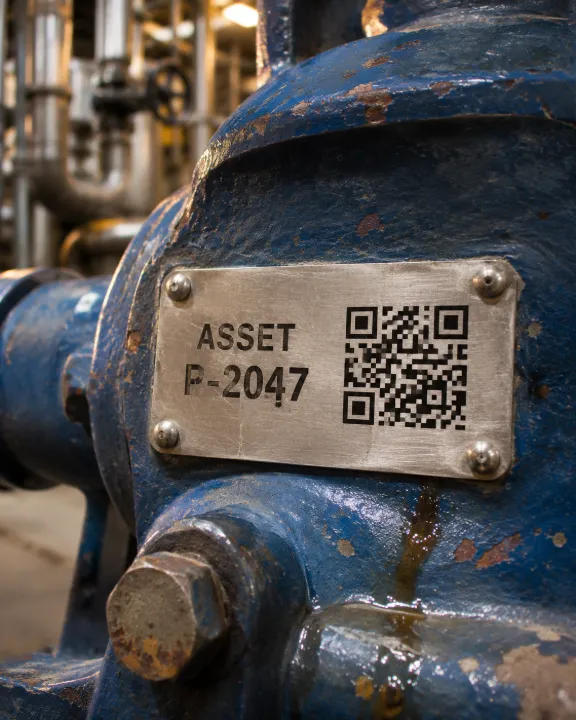
If you already run a maintenance system (CMMS) or keep asset pages on your intranet, a website QR code on the asset tag opens that machine's page: service history, open work orders and parts lists. Access stays controlled by your own system, because the code only holds the link. The same type can open a supplier's parts catalogue page for that model.
Where to use it
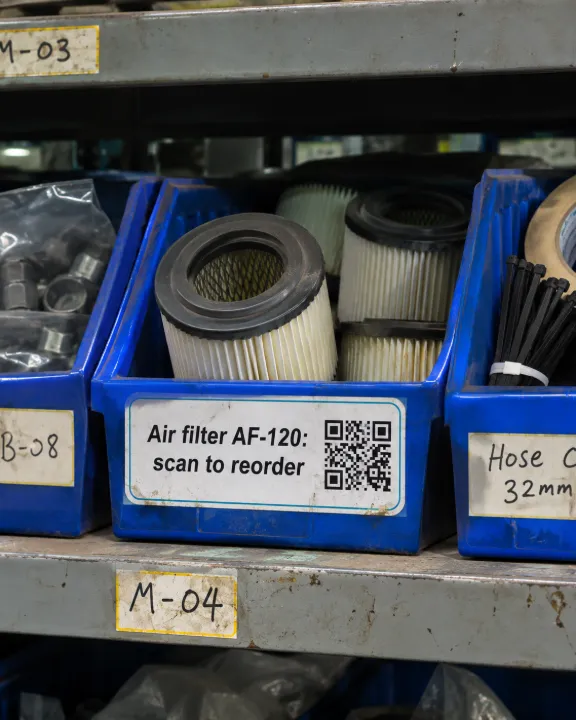
When the last filter or belt is used, the reorder often depends on someone remembering. An email QR code on the bin or shelf starts an email to your stores team or supplier with the part number in the subject and a short message ready to send. It is a static code, so print a new label if the address or part number changes.
Where to use it
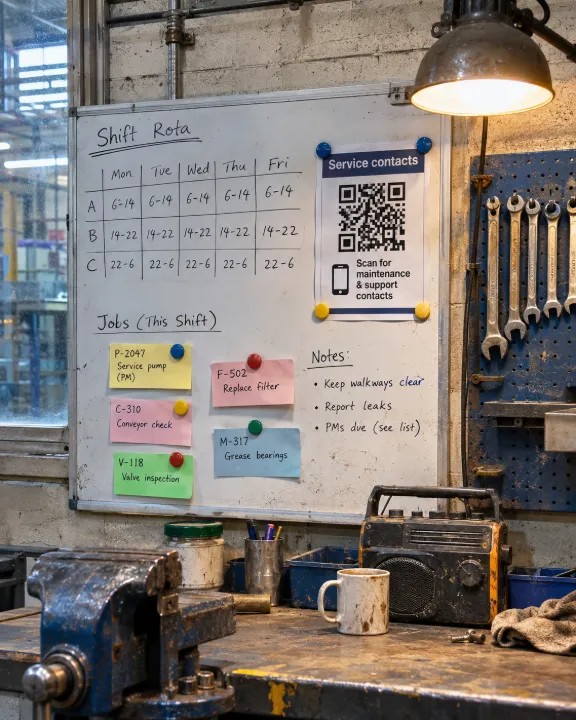
When a machine stops on a night shift, people waste time looking for the right number. A vCard QR code on the control panel or maintenance board saves the on-call contact or the equipment maker's service team to the phone in one scan, with the machine's model and serial number in the notes field.
Where to use it
Put each code where the question comes up: the manual on the machine, the fault form at the operator's position, the reorder on the parts bin.
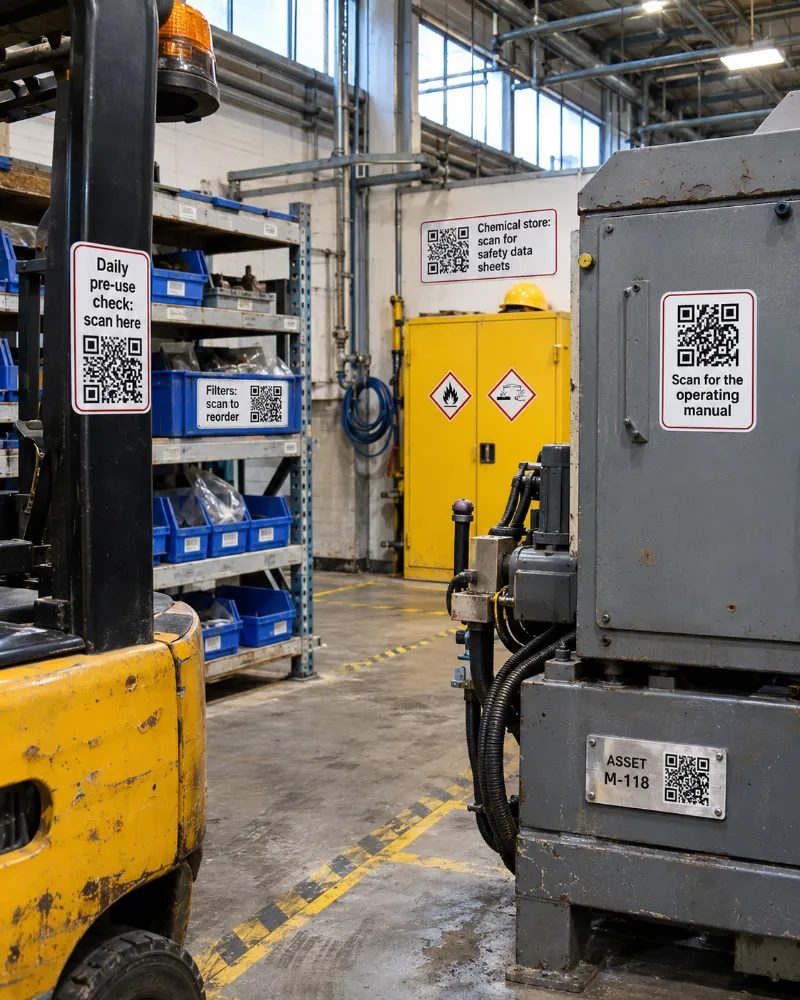
Opens the operating manual or SOP for that machine.
Plays a short video of the changeover or cleaning routine.
Opens the fault report or pre-use inspection checklist.
Opens the machine's record in your maintenance system.
Opens the safety data sheet, alongside your usual copies.
Starts a reorder email with the part number filled in.
Saves the on-call or service contact to the phone.
Opens the near-miss or hazard report form.
Make a list of each machine with the manual, SOP or form its code should open. One code per machine works better than one code for a whole line.
Open the PDF QR code generator and upload the document. Sign in for free to save each code with the machine's name or asset number, and use folders per line or area.
Choose a high error correction level (Q or H), keep the code dark on a light background and add a label such as "Scan for manual" plus the asset number.
Download SVG for a label printer or engraver, put one test label on the machine and scan it from where the operator stands, in the plant's lighting.
Oil, heat, cleaning chemicals and forklifts are hard on labels. These points keep your codes scannable for years.
Paper won't last on a machine. Use laminated or polyester labels indoors, and anodised aluminium, engraved or etched metal plates where there is heat, oil or wash-down. Check the material with your label supplier.
QR codes include error correction, defined in the ISO/IEC 18004 standard, so they can still be read when part of the code is dirty or scratched. Choose level Q or H in the generator for equipment labels.
A code scanned at arm's length can be small; one read from a walkway or behind a guard must be much bigger. Short links from dynamic codes make simpler patterns that read better from further away. Test from where people actually stand.
Keep safety-critical information such as lockout steps and hazard warnings printed on the machine. The QR code adds detail; it doesn't replace signs, guarding or training.
Rules on SDS access vary. In the US, OSHA allows electronic access only if it doesn't create a barrier to immediate access and there is a backup for power or network failures. Keep your usual copies and treat the QR code as an extra route.
Add QR labels to your regular inspection rounds: replace damaged ones, check that each code still opens the right document, and remove any label you didn't put there.
Create a dynamic code that opens the machine's manual, SOP or form, download it as SVG and print it on a durable label or metal plate. Stick it where operators can reach it without leaning over moving parts, then scan it from where they stand before labelling the rest.
Yes, if you use a dynamic code such as the PDF, video or website QR code. Upload the new file or change the link in your dashboard and the label opens the new version. You need a free account, created by signing in with Google, to edit codes.
Yes, as an extra way to open them, but check the rules where you work. In the US, OSHA allows electronic access to safety data sheets only if it doesn't create a barrier to immediate access and there is a backup if the system fails. In Great Britain, HSE says employees should have access to safety data sheets. Keep your usual copies available.
It depends on the environment. Laminated or polyester labels suit clean indoor areas; anodised aluminium, engraved or etched metal suits heat, oil, chemicals and wash-down. Ask your label supplier for a material rated for your conditions and test a sample first.
For equipment labels, choose Q or H. Higher levels let the code be read even when part of it is dirty, scratched or covered, at the cost of a denser pattern. Use a slightly larger print size to keep it easy to scan.
For a code that people scan with a phone to open a document, use a QR code. For marking parts and components with identification data for scanners and traceability systems, DataMatrix is the usual choice, and GS1 standards use GS1 DataMatrix for marking directly onto parts. If you use GS1 identifiers, the numbers come from your GS1 member organisation. Our barcode generator creates DataMatrix and GS1 DataMatrix codes.
The code only contains a link, and anyone who scans it can read that link. Link to pages that require your own login for anything internal, and only upload documents to a PDF QR code that are fine to be seen by anyone with the code.
Yes, for dynamic codes. The dashboard shows how many times a code was scanned, when, and on which devices. It doesn't show who scanned it, so use your maintenance system or forms for records of who did what.
Start with one machine and its manual, then add codes for SOP videos, fault reports and spare parts. Sign in for free to update documents after the labels are on.