

Instagram QR Code Generator
Select Your QR Code
Instagram QR Code Generator
QR Code Name
Preview
QR Code Generator Instagram
Yes! So the world has become digital-first, and now grabbing attention quickly is everything, especially on Instagram. Make your own Instagram QR Code using the Instagram QR code generator and let people scan and connect in seconds. Whether you’re an influencer, content creator, brand, or business, you will see the difference!
What is the Instagram QR Code?
An Instagram QR Code is a code that, if someone scans it using their device, will direct them to a specific IG profile without needing to type or manual searching. To generate this, you can use QRCodeChamp’s Instagram QR Code generator, which is easy and free to use; you don’t need any technical skills to create this. Being the most convenient and smart way to share a profile, businesses, influencers, or brands often use it to grab the quickest attention and followers.
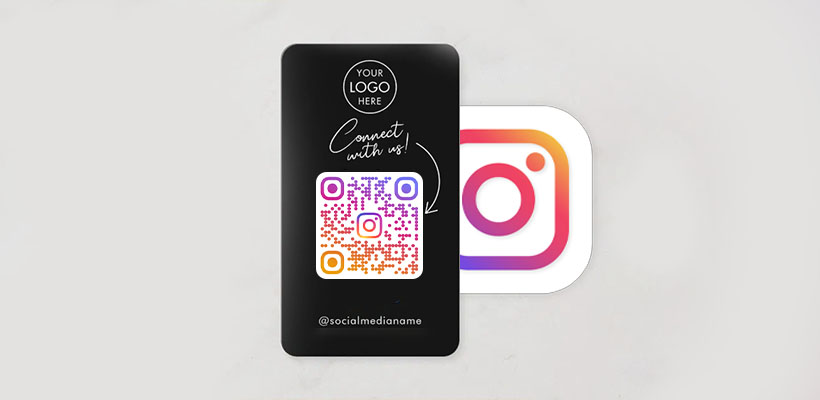
How to Generate a QR Code for an Instagram Profile?
Wondering how to get an Instagram QR code? Well, it’s easy because we made it easy for you!
Step 1: Visit QRCodeChamp and Go to the Instagram QR Code
Open our QRCodeChamp editor and select the Instagram QR Code option to start creating your Instagram-based QR code.
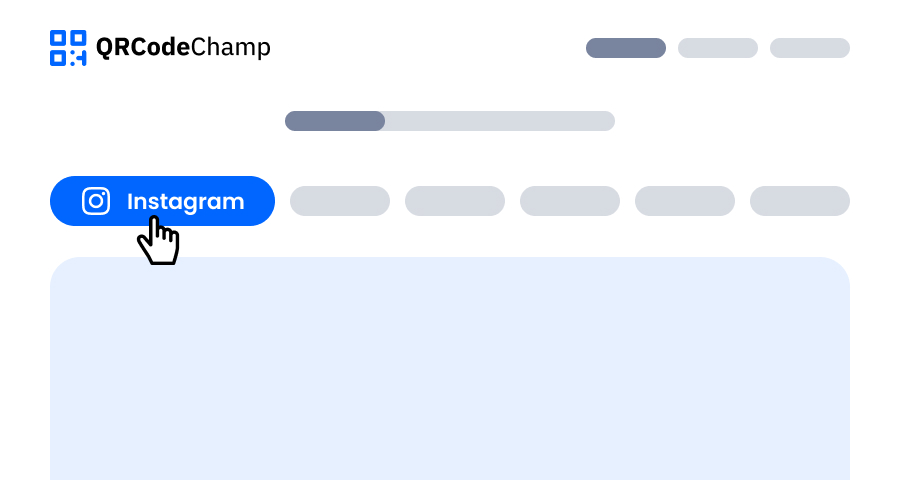
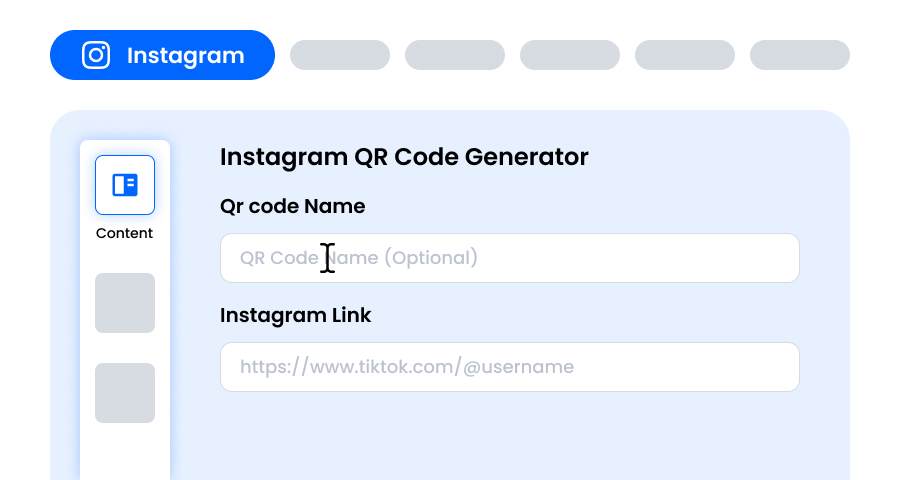
Step 2: Add Your Instagram Profile Link
Adding the QR code name is optional. Next, provide your full Instagram profile URL in the given input field to generate your ready-to-scan Instagram QR code. (You can add other Instagram content link if you want instead of the profile.) Now, whenever people scan the QR code, they'll be taken to your Instagram profile or other Instagram content—no hassle!
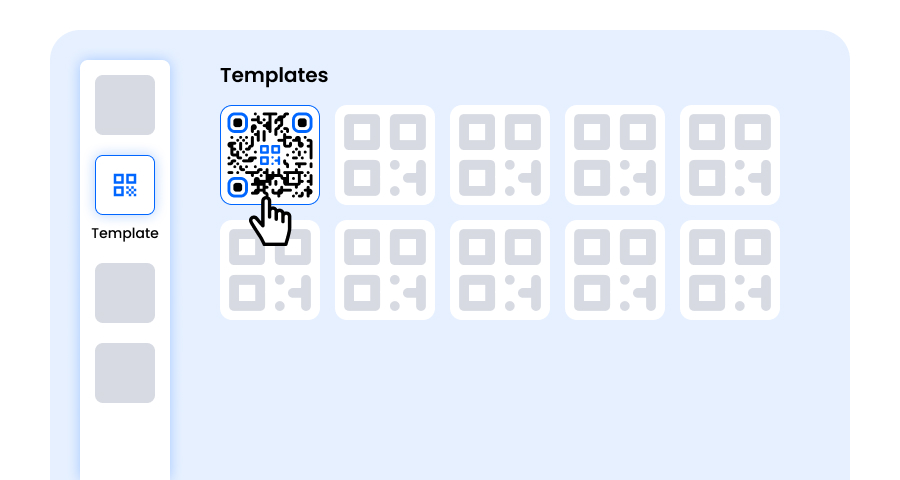
Step 3: Choose a Template for Instagram QR Code to Match Your Style and Purpose
Once your dynamic Instagram QR code is generated, head to the customization section and browse through the pre-designed templates. Select one that reflects the purpose of your Instagram campaign—whether it’s for marketing, events, promotions, or personal branding. The right template instantly gives your Instagram QR code a professional and eye-catching look.
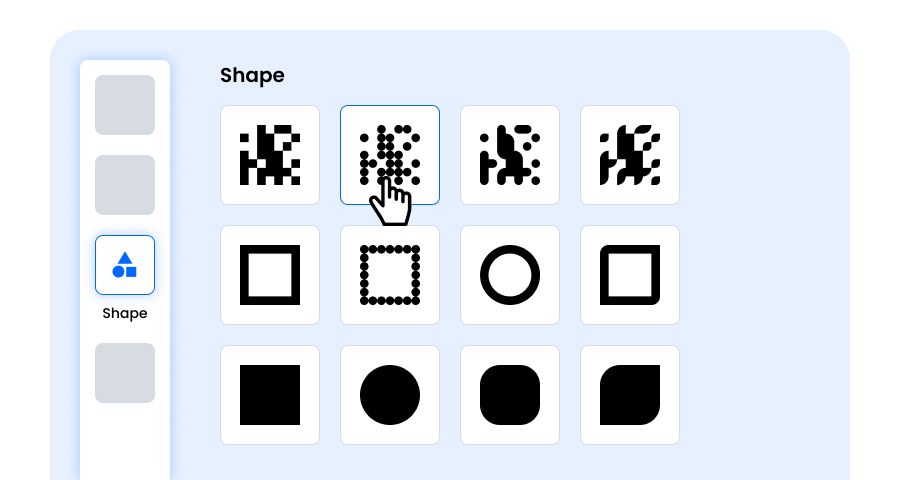
Step 4: Select the Shape to Create a Unique Instagram QR Code Design
Make your Instagram QR code stand out by experimenting with different shapes for the dots and corners. You can choose rounded edges for a modern feel, sharp corners for a sleek, techy vibe, or creative styles to match your audience’s preferences. The shape you pick can add a subtle but powerful branding touch to your Instagram QR Code.
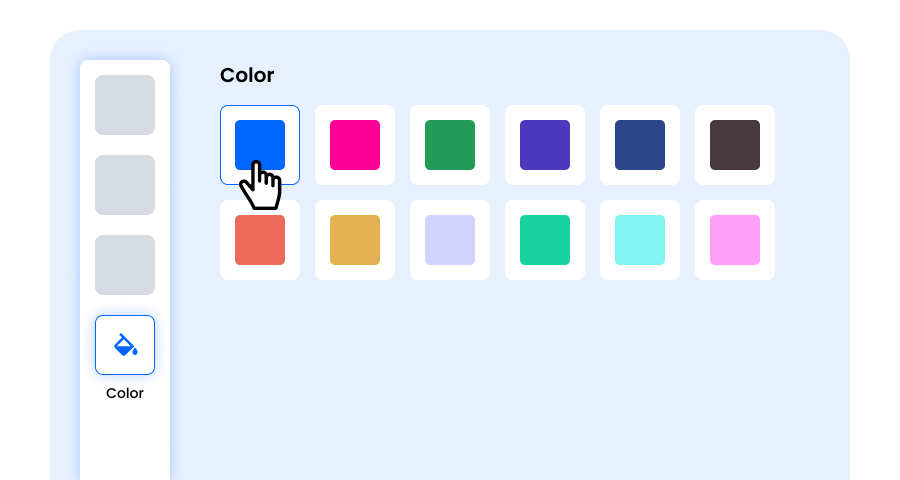
Step 5: Choose Colors to Make Your Instagram QR Code Stand Out
Customize the colors of your Instagram QR code to match your brand palette, campaign theme, or personal style. You can opt for solid colors for a clean look, gradients for a modern twist, or brand-specific shades to reinforce recognition. Just ensure the contrast remains high enough for easy scanning.
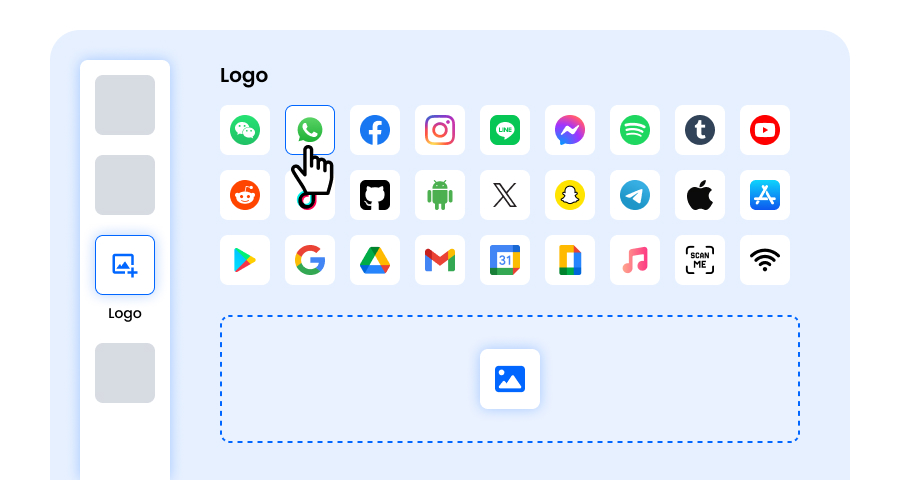
Step 6: Select/add a Logo to Your Instagram QR Code to Align With Your Branding
Enhance your Instagram QR code by inserting your company logo, product icon, or campaign graphic in the center. A logo not only makes the Instagram QR code visually appealing but also strengthens brand recognition and builds trust with users scanning it. Ensure the logo is clear and doesn’t obstruct the Instagram QR code’s scannable areas.
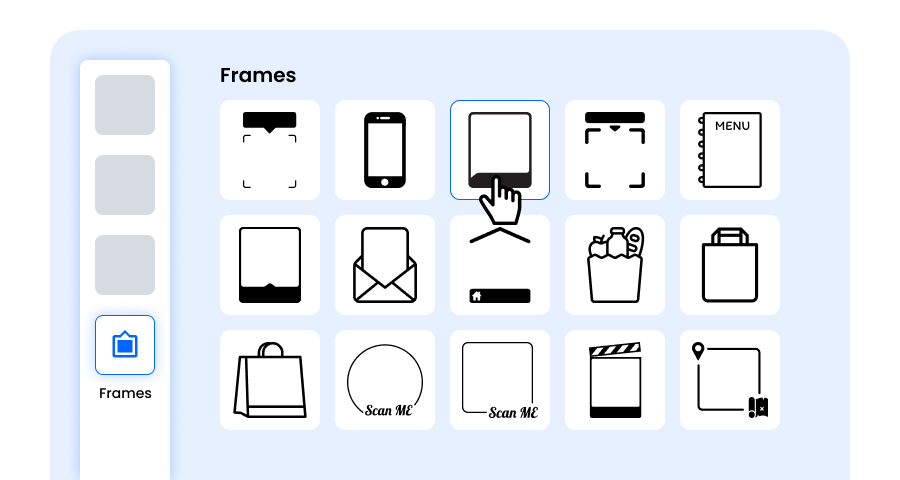
Step 7: Choose the Frame for Your Instagram QR as Per Your Choice
Give your Instagram QR code a finishing touch by adding a frame. Frames can highlight the QR code and even include short call-to-action tags, such as “Scan Me” or “Visit Now,” encouraging more scans. Select a style and color combination that complements your brand and stands out wherever you display the Instagram QR code.
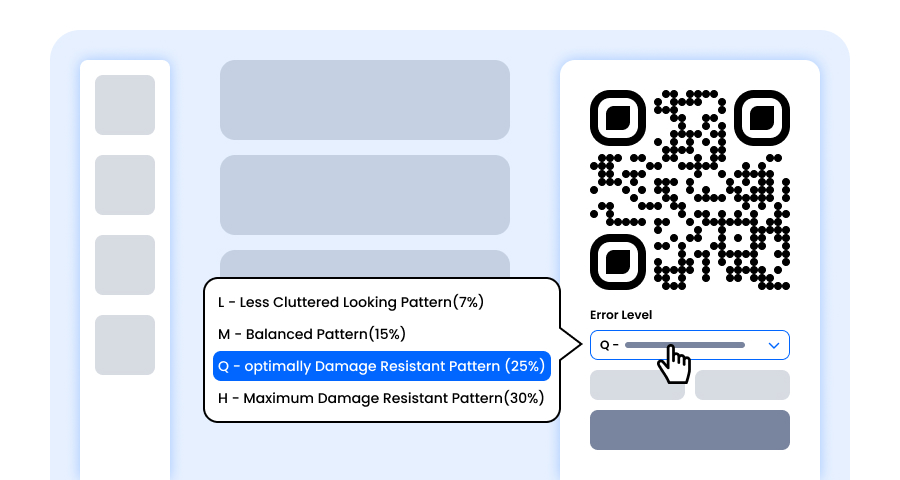
Step 8: Adjust the Error Correction Level of the Instagram QR Code for Maximum Scan Reliability
Adjust the error correction level of your Instagram QR code to control how well it can still be scanned if part of it gets damaged, blurred, or covered (for example, by a logo).
- L (7%) – Less cluttered look, suitable for simple designs without a logo.
- M (15%) – Balanced pattern for general use.
- Q (25%) – Optimally damage-resistant; works well with small logos.
- H (30%) – Maximum damage resistance; best for larger logos or high-risk display environments.
Choosing the right error level ensures your Instagram QR code remains scannable while looking clean and professional.
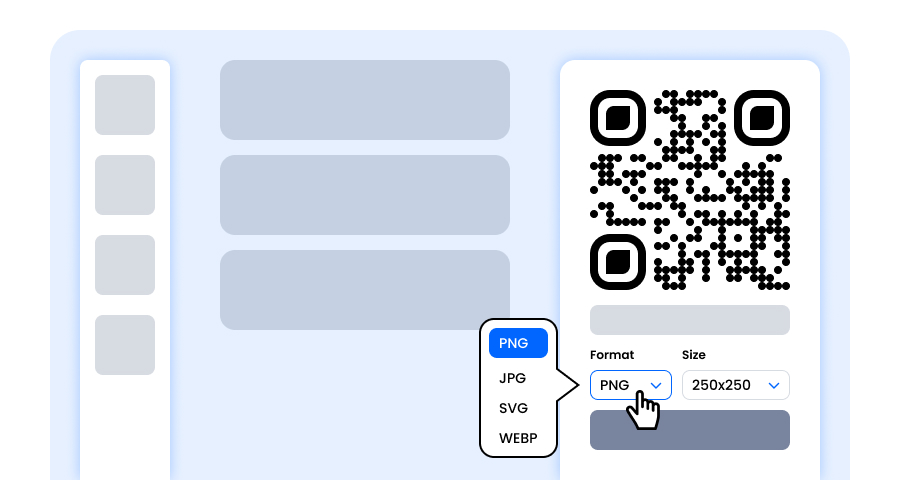
Step 9: Select the Format and Size of the Instagram QR Code as Per Your Requirement
Format - Choose the file format—PNG for most uses, JPG for web, or SVG for scalable print. So you can select based on where you’ll use the Instagram QR code—digital screens, print materials, or both.
Size - Select the size to match your needs: smaller for business cards or digital use, larger for posters and banners. This ensures your Instagram QR code stays sharp and scannable anywhere.
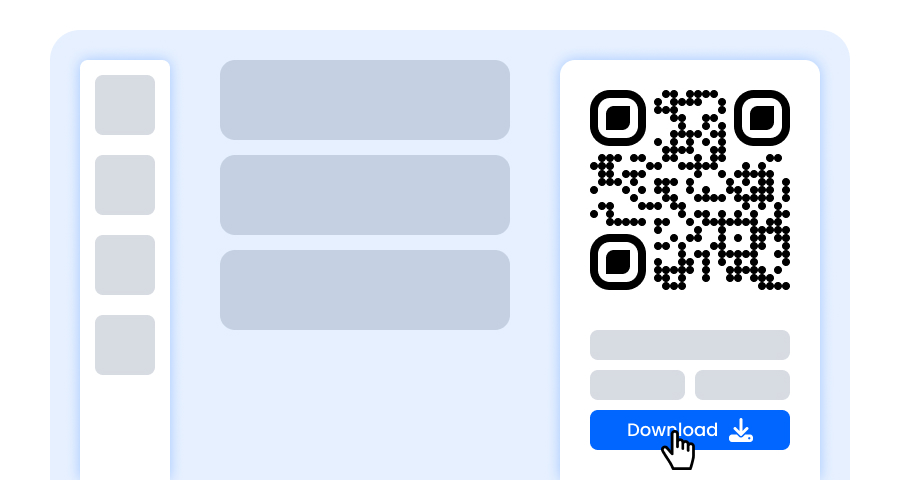
Step 10: Download Your Personalized Instagram QR Code
Once you’ve finished customizing your Instagram QR code, click the Download button. Save it in your chosen format and size so it’s ready to be printed, shared online, or embedded in your marketing materials.
What Are the Benefits of Using a Instagram QR Code?
Instagram QR Codes are helpful for everyone, whether it is a regular user, influencer, small or big business, or brand.
- Allows instant access to visit your Instagram profile without manual search
- Easy and free to generate using QRCodeChamps’ Instagram QR code maker
- Avoid confusion with similar usernames; no one will land on the wrong profile
- Great for branding if you add it to your marketing material
- It looks appealing and hence boosts engagement
- Perfect for events, as it saves time for both you and potential users
Where to Use Your Instagram QR Code for Maximum Impact?
Let us help you make a smart use of QR Code for Instagram to experience maximum impact.
- Add it to product tags or packaging to let your customers find you while unboxing and explore you more
- Smart walking promo with Instagram QR Code print on T-shirts
- Add it on business cards and flyers for direct reach, scan, and follow
- Email signatures or an invoice to stay in touch beyond the sale
- Stick it on the checkout counter to catch people while they wait.
- Put the QR Code on social media stories or posts for a quick scan.
- Feature it in Event banners or booths to get more foot traffic.
- Add it to the menus or keep it on tables at your cafe, salon, or waiting areas.
- You can also feature it on your websites and blogs.
Explore More QR Code Generators
URL QR Code
vCard QR Code
Text to QR Code
Wi-Fi QR Code
Email QR Code
Phone Number QR Code
Message QR Code
Social Media QR Code
YouTube QR Code
Spotify QR Code
Google Review QR Code
Google Form QR Code
WhatsApp QR Code
Snapchat QR Code
Facebook QR Code
TikTok QR Code
LinkedIn QR Code
Video to QR Code
PDF to QR Code
Image QR Code
Instagram QR Code Generator FAQs
Can I Customize My Instagram QR Code?
Yes, QRCodeChamps’ Instagram QR generator offers advanced customization options such as logos, colors, templates, frames, and shapes.
Is It Possible to Make a QR Code for an Instagram Account?
Certainly yes! You can create an Instagram QR Code for your profile for free of charge using the QR code generator- Instagram.
Should I Create a Static or Dynamic QR Code for Instagram?
If you want to create a simple, scannable QR code that takes people to a specific profile, then Static QR Code is for you. While a dynamic one will allow you to track scans and change links later if needed.